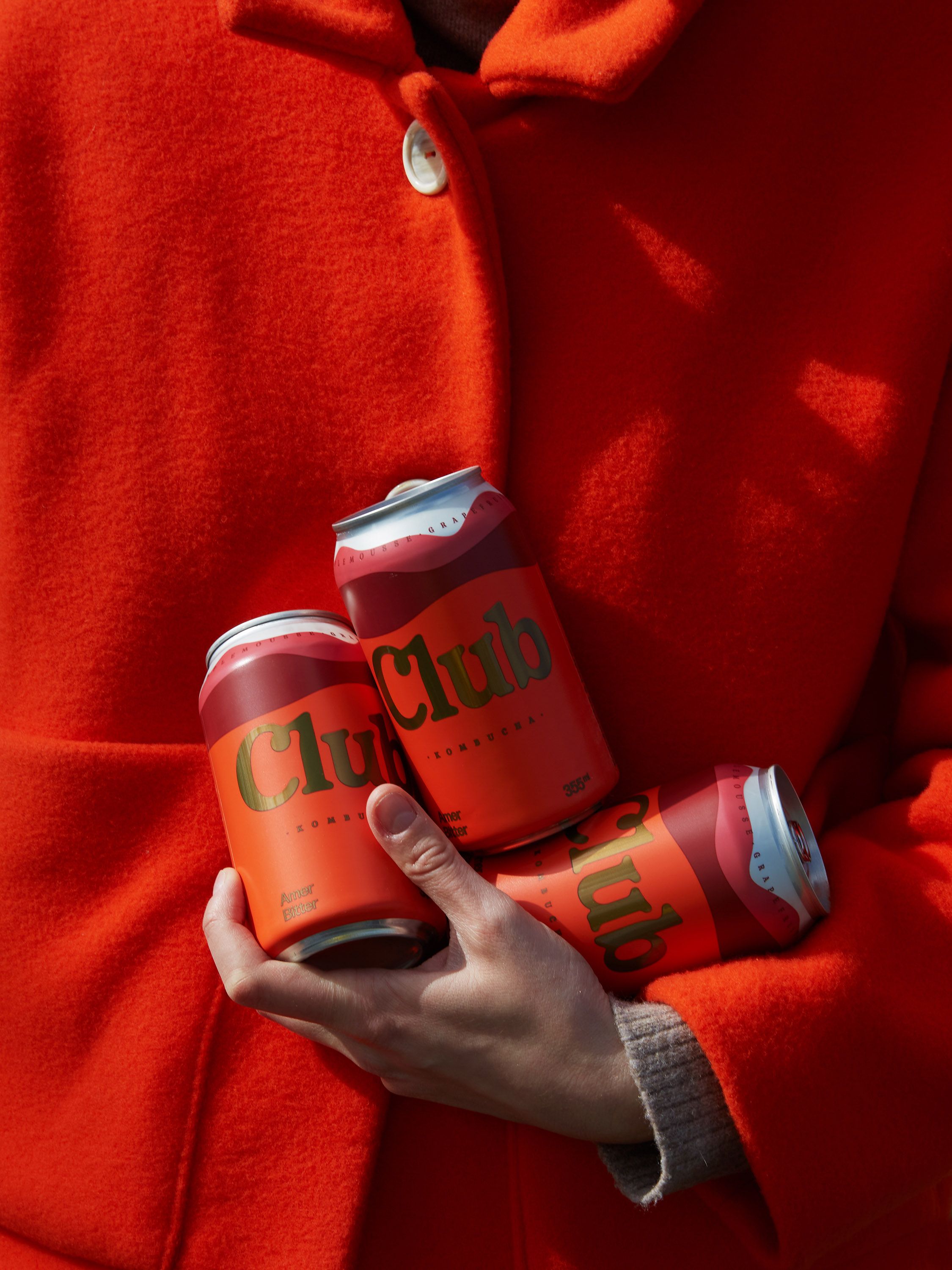
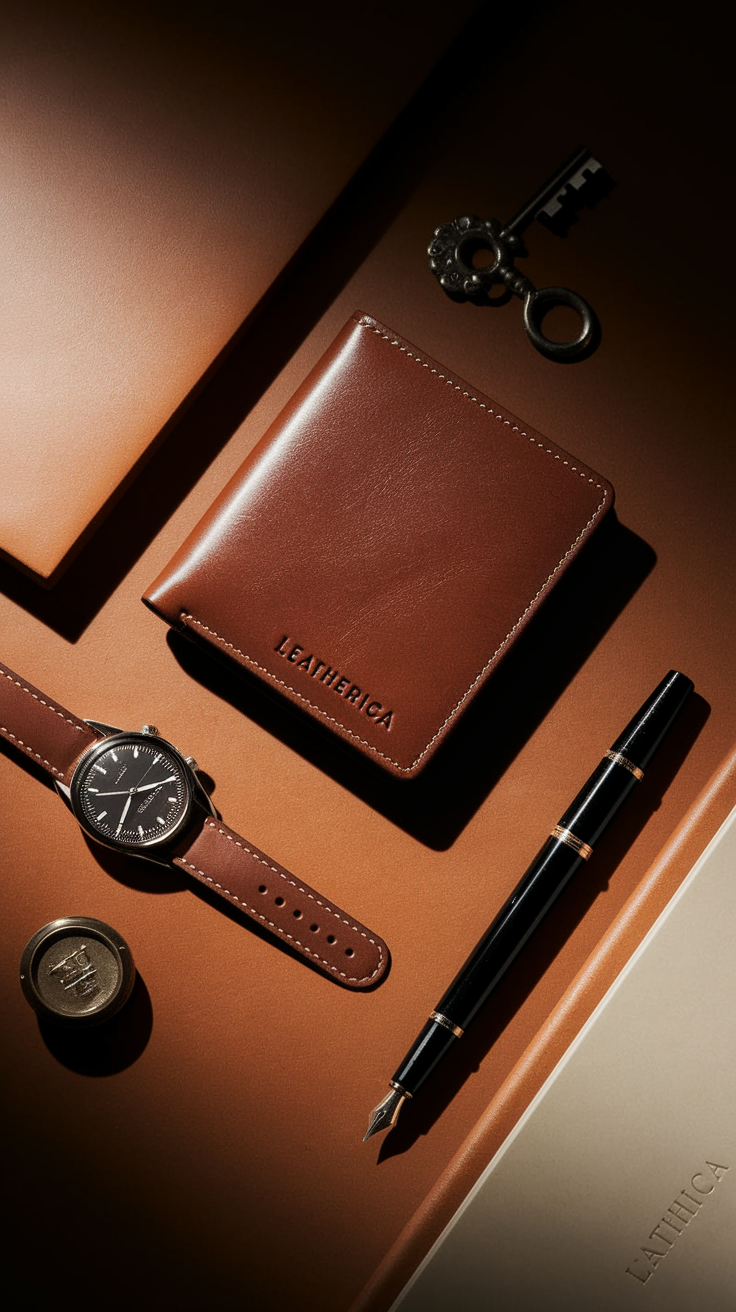
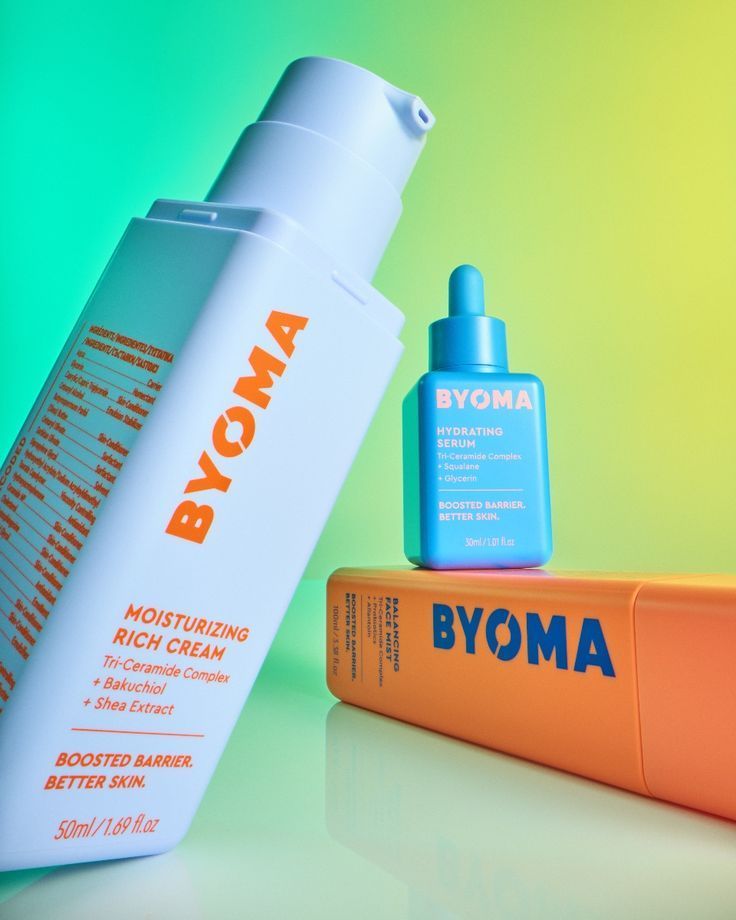
The best aesthetic video templates give your photos a clear rhythm: a collage that builds, a word that types into place or a product that stays visible while the scene changes. Choose the structure that fits your story, then make the colours, images and pacing feel like yours.
If you are searching for trending Canva templates for aesthetic videos, this guide offers 20 Canva-style alternatives from the PinItUp template library. These are PinItUp templates that you customise in Template Maker and export from your browser as an MP4. They are not Canva project files.
The selection below comes from templates currently labelled Trending in PinItUp's library. The numbering helps you browse; it is an editorial selection, not a ranking based on usage or performance. Each entry includes a native preview, supported formats and a practical styling idea.
20 trending Canva-style templates to try
For a vertical reel, choose a template that supports 9:16. If you also need a square or portrait feed version, check the format line before you begin.
1. Sticker Drop: shopping hauls and playful mood boards
Formats: 9:16. Inputs: up to 28 photos.
Sticker Drop builds a collage by placing tilted photo stickers over a ground image. Fourteen stickers complete a round before the next set appears. You can keep whole photos or use Cut out to isolate the subjects.
Make it your own: Try it for a thrift haul, travel souvenirs or a collection of everyday favourites. Choose a simple floor or pavement photo so the individual stickers stay readable. A shared colour palette makes a busy arrangement feel deliberate.
2. Countdown Reveal: collection launches and product teasers
Formats: 9:16. Inputs: up to 8 photos.
Countdown Reveal begins with a count to four and a typed word on a satin background. The fabric then gives way to a sequence of photos framed by black bars. You can change the word, its colour and the fabric image.
Make it your own: Use it when you want a clear opening before showing a new collection. Keep the introductory word short, then order your photos from the strongest first impression to the main reveal. Repeat one accent colour across the fabric and product shots.
3. Look At This: accessories, gifts and new arrivals
Formats: 9:16. Inputs: up to 10 products.
Look At This combines bold opening words with a product sequence on satin. A typed word accompanies the products, and the final product holds longer. Cut out lets you lift products from their original backgrounds.
Make it your own: This is a useful format for earrings, handbags or a small gift edit. Use products photographed at similar angles and keep the words brief enough to read as the items change. Save your most distinctive piece for the final hold.
4. Backdrop Swap: one product in changing settings
Formats: 9:16. Inputs: up to 30 background photos plus a product.
Backdrop Swap holds a cut-out product in the centre while background photos change behind it. A one-line typewriter caption sits at the top. You can customise the caption colour and add your own song.
Make it your own: Build a skincare or fragrance reel around one clear product image. Choose backgrounds with related tones and avoid busy details directly behind the label. A bottle can remain recognisable while the changing scenery suggests different moods or seasons.
5. Swatch Room: interiors and material-led mood boards
Formats: 9:16, 4:5 or 1:1. Inputs: up to 24 photos plus a material swatch.
Swatch Room frames a material sample with four sliding lines, then changes the surrounding photos behind it. It supports a logo and editable page and line colours, giving the sequence a consistent visual anchor.
Make it your own: Use a fabric, tile, wood or stone close-up in the centre and show rooms or details that complement it. Match the page colour to a quieter tone in the swatch. This works especially well when the reel needs to explain a material choice through examples.
6. Colour Pick: travel palettes and colour studies
Formats: 9:16, 4:5 or 1:1. Inputs: up to 20 photos.
Colour Pick pairs each photograph with a flat colour sampled from that image. The photo and swatch change together, with two short words across the dividing line. Page and word colours are also editable.
Make it your own: Choose photos with a clear colour story: terracotta buildings, blue water, green interiors or warm food scenes. Keep the two words consistent across the reel. The format is useful for showing how a palette appears in real places rather than presenting disconnected colour chips.
7. Nested Window: photo pairs and outfit details
Formats: 9:16. Inputs: up to 20 photos.
Nested Window shows two photos at a time, stacked vertically. Each contains a square window revealing the other image. The pairs change through a rhythm of longer and shorter holds.
Make it your own: Arrange your photos in meaningful pairs before adding them: a room and its detail, a full outfit and its accessories, or a wide travel view and a close-up. Keep key subjects away from the inset windows so the composition still makes sense at a glance.
8. Full Frame: minimal slideshows and shoot recaps
Formats: 9:16. Inputs: up to 30 photos.
Full Frame gives each photograph the whole screen. You can choose Fast, Steady or Slow pacing and a cut or fade between images. The layout keeps attention on the photographs rather than adding decorative frames.
Make it your own: Pick this for a strong photo series that already has a consistent look. Start with Steady or Slow when viewers need time to notice details; try Fast for an energetic montage. Crop portraits and landscapes carefully so faces, products and focal points survive the vertical format.
9. Three Steps: processes, recipes and transformations
Formats: 9:16. Inputs: up to 6 photos.
Three Steps arranges photos in three labelled horizontal bands. The bands arrive in a set sequence, and six photos create a second round. You can edit all three labels and the page and label colours.
Make it your own: Tell a simple story such as sketch, process and finished piece, or ingredients, preparation and result. Use matching camera positions where possible. Short labels keep the sequence easy to follow, while a restrained background helps the pictures carry the explanation.
10. Tile Drop: large photo dumps and postcard collections
Formats: 9:16, 3:4, 4:5 or 1:1. Inputs: up to 48 photos.
Tile Drop places tilted photo cards over a top-down ground image. Twenty-four cards form a collage that holds and then clears before another round. A background colour fills the remaining space where the chosen ratio needs it.
Make it your own: Use it for a month of memories, a market visit or a postcard-style travel collection. Mix wider scenes with small details so neighbouring cards do not all look alike. A quiet ground image gives the photos enough contrast without becoming another competing subject.
11. Grid Fill: named collections and brand mood boards
Formats: 9:16, 4:5 or 1:1. Inputs: up to 30 photos.
Grid Fill builds a twelve-cell grid, changes individual cells and ends with the title left on the page. The title, background colour and title colour can be customised.
Make it your own: Choose a short collection name or location for the closing title. Put a balanced mix of images in the first twelve slots, since they establish the grid. Distribute bright and dark photos across the sequence so the layout feels considered before the title takes over.
12. Tile Reveal: beauty launches with a moving hero product
Formats: 9:16. Inputs: up to 8 background photos plus a product.
Tile Reveal changes a twelve-tile photo grid one tile at a time while a cut-out product moves over it. It includes three editable text lines and controls for the words and grid colours.
Make it your own: Try it for a jar, bottle or cosmetic tube with ingredient or lifestyle imagery behind it. Keep the product silhouette clear and reserve the text for one focused message. Check that the words and tile lines remain legible across every background photo.
13. Split Halves: fast portfolios and branded product reels
Formats: 9:16. Inputs: up to 20 photos.
Split Halves divides the screen into upper and lower photos. One half changes at a time, creating an alternating sequence, while your logo stays over the upper half.
Make it your own: Use photographs with similar lighting when the two halves should read as one collection. For a deliberate contrast, alternate wide scenes and close-ups. Put important details within each half of the frame and test the logo against both light and dark images.
14. Mood Around: lookbooks and detailed product stories
Formats: 9:16. Inputs: up to 15 small photos plus main and closing images.
Mood Around places small photos around a main image in groups of five. It then moves into closer views and finishes on a closing photo. An editable line of words runs across the middle.
Make it your own: Build the surrounding images from materials, accessories and details related to the main subject. Choose a sharp hero image that can withstand a close crop. End on a complete outfit or clean product shot so the smaller details resolve into a clear final idea.
15. Word Search: coffee, travel and themed announcements
Formats: 9:16. Inputs: up to 6 photos.
Word Search overlays a letter grid on your photos and circles hidden words in sequence. Choose a preset theme or enter up to four words of your own. Letter and circle colours can be changed.
Make it your own: Use a small set of words that describes the story: a destination, a mood or a product benefit. Custom words use letters A–Z and can be up to nine letters long. Choose uncluttered photos so the grid and hand-drawn circles are easy to distinguish.
16. Big Words: text-first launches and event openers
Formats: 9:16. Inputs: up to 12 photos.
Big Words opens with three phrases typing onto a linen background in large capitals. The phrases hold and fade before the reel moves into full-screen photos. You can change the word colour and fabric image.
Make it your own: Write one idea per phrase, then use the photos to fulfil that opening promise. Keep the copy short rather than filling every available line. A textured but quiet fabric image gives the text room to breathe and helps the reveal feel coherent.
17. Four Then One: outfit round-ups and travel recaps
Formats: 9:16. Inputs: up to 24 photos.
Four Then One starts with a full-screen image, builds a two-by-two collage over it and then returns to full-screen photos. The later sequence alternates shorter and longer holds.
Make it your own: Treat the opening photo as the cover and the next four as a compact summary. Follow with individual details that deserve a larger view. This suits an outfit round-up or event recap where the viewer first needs the overall mood, then a closer look.
18. Note Stack: scrapbooks and studio journals
Formats: 4:3, 1:1, 4:5 or 9:16. Inputs: up to 12 photos.
Note Stack combines a large photo with a changing pile of tilted prints. It includes two rows of words, a short note, a handle and a logo, with editable page and word colours.
Make it your own: Use one clear hero photo beside candid images or process details. Write the note as a short observation instead of a full caption. Warm neutrals suit a diary-like treatment, while a stronger page colour can make the same structure feel more editorial.
19. Word Scatter: one-word themes and city edits
Formats: 4:3, 1:1, 4:5 or 9:16. Inputs: up to 12 photos.
Word Scatter repeats one chosen word around a changing square of photos beside a larger image and bold title. It also supports a small line of copy, a handle, a logo and editable colours.
Make it your own: Choose a word that can connect the whole sequence, such as summer, studio or bloom. Use the large image to establish the theme and the smaller photos to develop it. Keep the title distinct from the repeated word so each part has a clear purpose.
20. Photo Cluster: memory mosaics and creative collections
Formats: 4:3, 1:1, 4:5 or 9:16. Inputs: up to 20 photos.
Photo Cluster builds a rounded arrangement of overlapping prints, holds it and lets the photos disappear again. Its 39 frame positions reuse your supplied photos to fill the arrangement. Corner and bottom text, a handle and a logo can complete the page.
Make it your own: Select a varied but connected group of images for a month recap, creative project or collection. The photos are small in the mosaic, so favour strong shapes and recognisable subjects. Use the surrounding words as a light frame rather than adding lengthy explanations.
How to make an aesthetic video that feels consistent
- Choose one visual direction. Decide whether the reel should feel playful, minimal, editorial or personal. Let that choice guide the template instead of mixing several styles in one short video.
- Build a small, coherent image set. Combine a hero shot, wider context and close-up details. Similar light and colour help photos taken at different moments sit together.
- Pick the format before arranging the photos. A 9:16 frame is a useful starting point for vertical reels. Choose 4:5, 1:1 or another supported ratio when that better fits the destination. Review each crop after changing formats.
- Use the template's available controls. Add your images, replace sample copy and adjust the colours, background or logo where supported. Keep text short and check its contrast across the entire sequence.
- Match the pace to the content. Quick changes can suit a collage or teaser. Detailed products, notes and process steps need more reading time. Listen to the preview after adding audio and watch it once without sound.
- Review the final frame and export. Check the closing image, title and any branding. Export the finished preview as an MP4 from Template Maker, then check the saved video on the device where it will be viewed.
Use AI image prompts to build a matching asset set
Your own photographs are often the simplest starting point. When a product reel needs an additional visual concept, the PinItUp Prompt Library can help you direct a matching image. Generate the image in your chosen image tool, review it and add the finished asset to Template Maker.
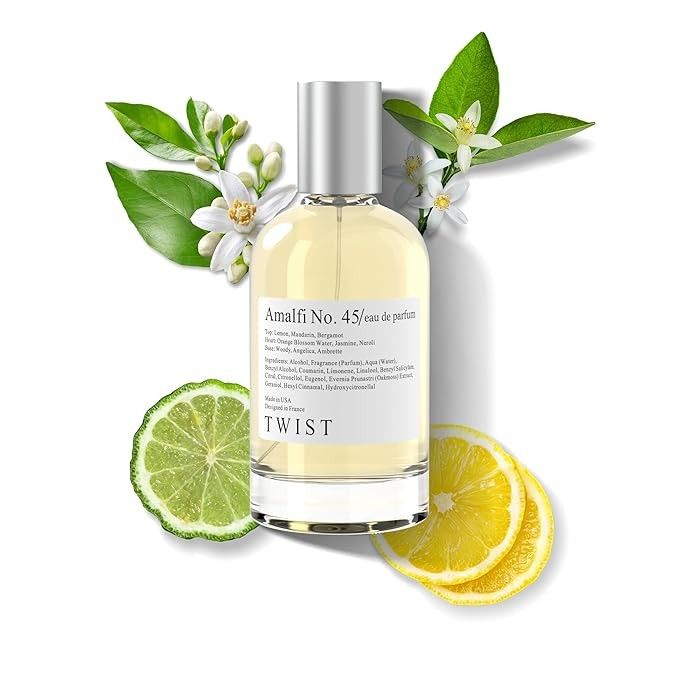
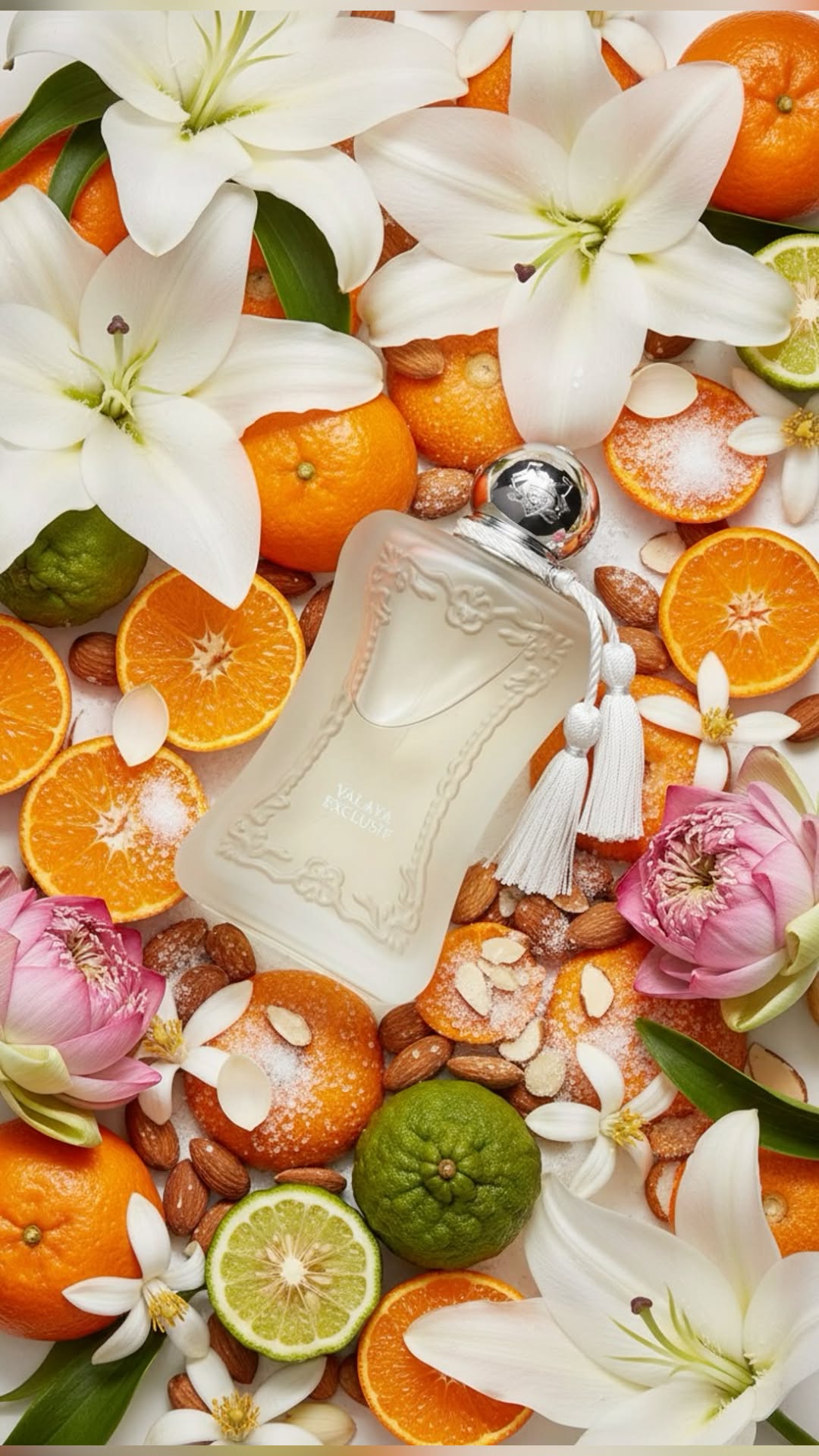
A clean citrus product image for a fragrance reel
The Citrus Botanical Perfume prompt pairs a bottle with citrus and white blossoms in a bright studio setting. It is a useful starting point for a coordinated fragrance image set for Look At This or Full Frame. For Backdrop Swap, prepare a separate cut-out product image and backgrounds; the prompt card does not create the video.
A botanical flat lay for a scrapbook or product edit
The Luxury Perfume Botanical Flat Lay prompt uses an overhead composition with fruit and floral styling. A finished image can provide context in Note Stack or a detail shot in Four Then One. Keep the colour direction consistent with the other photos you plan to use.
A coordinated cosmetic set for a colour-led slideshow
The Torn-Paper Cosmetic Tubes prompt offers pink, sage-green and lavender ingredient-reveal concepts. Each image has its own prompt. Generate the slides separately, check their consistency and use the finished images in Colour Pick or Full Frame. Change the product and background choices to fit the visual direction you are building.

Review generated packaging, labels and product details before adding them to a branded reel. Keep a clear distinction between concept imagery and photographs of the actual product.
Frequently asked questions
Are these templates editable in Canva?
No. These are PinItUp video templates, chosen for readers looking for Canva-style aesthetic designs. Open each template on PinItUp and customise it in Template Maker. A Canva account or Canva project link is not part of this workflow.
Which template is best for an aesthetic photo dump?
Try Sticker Drop for a playful cut-out collage, Tile Drop for a larger set of memories or Photo Cluster for an overlapping mosaic. Full Frame is a simpler option when you want the photos themselves to fill the screen.
Which templates work well for product videos?
Look At This suits a sequence of products. Backdrop Swap keeps one product visible while backgrounds change. Tile Reveal combines a moving product with a changing photo grid. Choose based on whether your reel needs to show a range or focus on one hero item.
Can I change the colours, text and music?
The controls vary by template. Many support editable text and colours, while others focus on photos and pacing. The featured template pages describe their options, and their audio features let you keep the template's sound or add your own song.
What video format should I choose?
Choose 9:16 for a vertical reel. Several templates also support 4:5, 1:1, 3:4 or 4:3. Use the ratio that suits your intended placement and check the finished crop before exporting.
Do I need AI-generated images to use these templates?
No. Use your own photographs, product images or other suitable assets. AI prompts are an optional way to develop additional visual concepts; Template Maker arranges and animates the images you provide.
Choose a template and make it yours
Begin with the story: a collection reveal, a colour study, a photo diary or a simple slideshow. Pick the template that supports that idea, add a focused set of images and review the rhythm before exporting. Browse the full PinItUp template library to explore these designs and the latest additions.